Laptop Bag for Women: Tote vs Backpack vs Sleeve
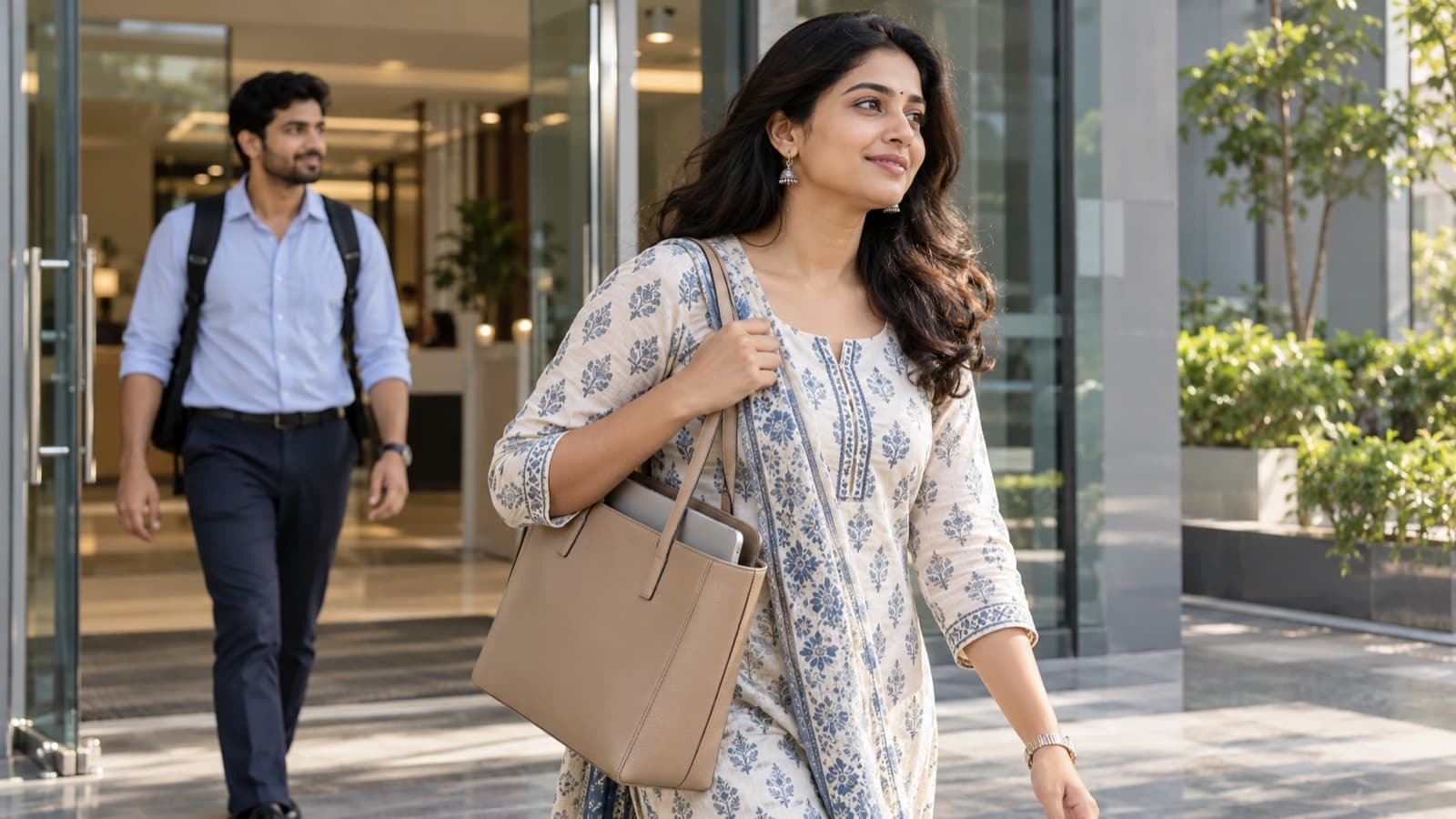
Should you carry your laptop in a tote, a backpack or a sleeve? How laptop sizes work, what padding to look for and which bag suits an office day or a long commute.
The best laptop bag for women depends on how far you carry it. A structured laptop tote suits short commutes and office days where you want a polished look; a backpack is kinder to your back and shoulders on long commutes, metro rides and walks; a sleeve only protects the laptop and has to go inside another bag. Whichever you choose, match it to your laptop's actual dimensions, not just the screen size, and check for padding.
Key takeaways
- Laptop sizes are the screen diagonal in inches, so a "14 inch" bag is a guide, not a guarantee; compare the bag's inner size with your laptop's width and depth.
- A tote puts all the weight on one shoulder, so it is best for short carries and a light load.
- A backpack spreads the weight over both shoulders and is the better choice for long, daily commutes.
- A sleeve adds padding but no straps; pair it with a tote that has no laptop compartment.
- Look for a padded compartment, a base that stands on its own and a top closure that zips.
- Carry only what you need each day; a lighter bag matters more than any single feature.
Tote vs backpack vs sleeve: the comparison
| Laptop tote | Laptop backpack | Laptop sleeve | |
|---|---|---|---|
| How you carry it | On one shoulder or in the hand | On both shoulders | Inside another bag, or in the hand |
| Weight on the body | All on one side | Shared between both shoulders | Depends on the bag it goes into |
| Protection | Good if it has a padded compartment; less if not | Usually a padded back compartment | Padding only, no structure |
| Access | Quick, open from the top | Slower; you take it off to open it | Quick, but needs a carrier |
| Look | Polished, works with kurtas, dresses and formal wear | Casual to smart, depending on material | Minimal |
| Best for | Car or cab commute, short walks, meetings | Metro, bus, two-wheeler, long walks, travel | Adding protection to a bag you already love |
| Watch out for | Shoulder strain on long carries | Creasing silk or embroidered kurtas at the back | No room for a charger or lunch |
How laptop sizes work, and how to measure for a bag
Laptops are sold by screen size: the diagonal of the screen, measured in inches. The common sizes are around 13, 14, 15.6 and 16 inches. The laptop body is always larger than the screen, and two laptops with the same screen size can differ in width and thickness depending on the bezels.
Before you buy a bag:
- Measure the laptop itself. Note its width, depth and thickness with the lid closed.
- Check the bag's inner compartment, not the outside. A bag's outer dimensions include padding and seams.
- Allow a little room. About a centimetre of space on the sides makes it easy to slide the laptop in and out without forcing the zip.
- Count the charger. A chunky power brick needs its own pocket or it will press against the screen.
A bag marked "up to 14 inch" is designed around 14-inch laptops. If yours is 15.6 inches or has a thick body, check the inner measurements before you order.
Laptop tote bags: polished for short commutes
A laptop tote is a large, structured shoulder bag with room for a laptop, usually in a padded or separate section. It looks the most like an ordinary handbag, which is why many women prefer it for the office: it sits well with a kurta set, a dress or formal trousers, and it opens from the top for quick access in a meeting.
The drawback is weight on one side. Carried for a few minutes from car to desk, that is fine. Carried for forty minutes through a station with a laptop, a charger, a lunch box and a water bottle, it pulls the shoulder down and you end up hitching your posture to one side. If you choose a tote:
- Pick a structured one with a flat base, so the laptop sits upright rather than sagging into a curve.
- Check the handle drop. Handles long enough to sit on your shoulder, not in the crook of your elbow, are easier on the arm.
- Switch shoulders through the day.
- Use a sleeve if the tote has no padded compartment.
Laptop bags and totes in stock:
- The black PU laptop bag at ₹2,224 is a dedicated laptop bag in a plain colour that suits office wear.
- The beige textured PU laptop bag at ₹1,226 is a lighter-coloured laptop bag for a softer look.
- The lavender 14 inch structured tote bag at ₹2,534 takes laptops up to 14 inches and still looks like a handbag.
- The blue 14 inch structured tote bag at ₹3,191 is the same idea in a colourblocked blue.
Laptop backpacks: better for long commutes
A backpack spreads the load over both shoulders and keeps it close to your back, so you stand straighter and the weight is not pulling you to one side. For a long daily commute, on foot, by metro or bus, or on a two-wheeler, it is the most comfortable way to carry a laptop.
Adjust it properly: both straps on, tightened so the bag sits high on your back rather than hanging near your hips, with the heaviest item, the laptop, closest to your spine. One thing to watch if you wear ethnic clothes to work: a backpack rubs against the back of a kurta, so delicate silk or embroidery can crease or snag. Cotton and cotton blend kurtas cope far better.
We have a full guide to choosing an office backpack, so we will not repeat it here; it covers compartments, materials and how to keep a backpack looking professional.
Backpacks in stock:
- The black backpack at ₹1,650 is a polyester backpack in a plain, office-friendly colour.
- The beige backpack at ₹1,722 is PU, for a smarter finish with formal wear.
Browse all laptop bags.
Laptop sleeves: protection, not a bag
A sleeve is a padded, zip-up or envelope-style cover cut to fit the laptop closely. It protects against scratches and small knocks, and it lets you carry a laptop safely in a tote or handbag that has no laptop compartment of its own. Some sleeves have a small front pocket for a charger.
A sleeve on its own is not a commute bag: there is nowhere for your phone, keys, wallet or lunch. Think of it as an add-on. If you already own a large tote you love, a well-fitted sleeve can turn it into a laptop bag. We do not stock sleeves at the moment, so pair one you already have with a structured tote from the list above.
Padding, weight and posture: what to check
Whatever style you choose, these details decide whether it is comfortable after six months:
- A padded laptop compartment that sits against the back of a backpack or the inner wall of a tote, not loose in the middle.
- A flat, firm base so the bag stands on the floor and the laptop does not take knocks when you put it down.
- A zip closure. Open-top totes are quick but let things slide out in a cab or on a train.
- Wide, padded straps. Thin straps dig in with a laptop's weight.
- A light empty bag. Heavy hardware and thick materials add up before you have packed anything.
- A trimmed daily load. Leave chargers you do not need, extra notebooks and full water bottles at your desk. The lightest bag is the one with the least in it.
If your shoulders or back ache after your commute, switch to a backpack, carry less, or alternate bags through the week.
Office vs commute: which bag for which day
- You drive or take a cab, and your walk is short: a laptop tote or a structured laptop bag. It looks the most polished with office wear.
- You take the metro, bus or train, or walk more than a few minutes: a backpack.
- You ride a two-wheeler: a backpack, worn with both straps, so nothing swings.
- You visit clients or attend meetings: a structured tote or laptop bag in black, brown or beige.
- You work from home most days and carry the laptop occasionally: a sleeve inside a tote you already own.
- You travel for work: a backpack for the journey, with a small sling inside for the evening.
For what to wear with these bags, see our office wear kurta sets for a full workweek. If your bag is PU, our guide to cleaning and storing a PU leather bag will keep it looking new. Shipping is free over ₹799, and you have 7-day returns if the size is not right.
Related guides
- Best Bag for College: Tote, Backpack or Sling?
- What Bag to Carry for a Weekend Trip: Travel Bag Guide for Women
- Sling vs Crossbody vs Shoulder Bag: Differences and When to Carry Each
Frequently asked questions
Which is better for a laptop, a tote or a backpack?
A backpack is better for long commutes because it spreads the weight across both shoulders. A tote is better for short carries and office settings where you want a polished, handbag-like look. Many women own one of each and choose by the day.
How do I know what size laptop bag to buy?
Measure your laptop's width, depth and thickness, then compare those numbers with the bag's inner compartment, not its outer size. Screen size alone, such as 14 or 15.6 inches, is only a rough guide because laptop bodies vary.
Is a laptop sleeve enough to carry a laptop?
A sleeve protects the laptop from scratches and small knocks, but it has no straps or space for anything else. Use it inside a tote or handbag that does not have its own padded laptop compartment.
Can carrying a laptop tote cause shoulder pain?
Carrying a heavy tote on one shoulder for a long time can cause strain, because all the weight sits on one side. Keep the load light, switch shoulders, and choose a backpack for long daily commutes.
What should I look for in a women's laptop bag for office?
Look for a padded laptop compartment, a firm flat base, a zip closure and comfortable straps. A structured shape in black, brown or beige works with both ethnic and western office wear.